

A tone is a reusable voice-behavior preset that shapes how a voice communicates — its formality, verbosity, and conversational stance. Tones let you configure voice personality separately from the system prompt, so you can mix the same role with different communication styles.
Built-in Tones
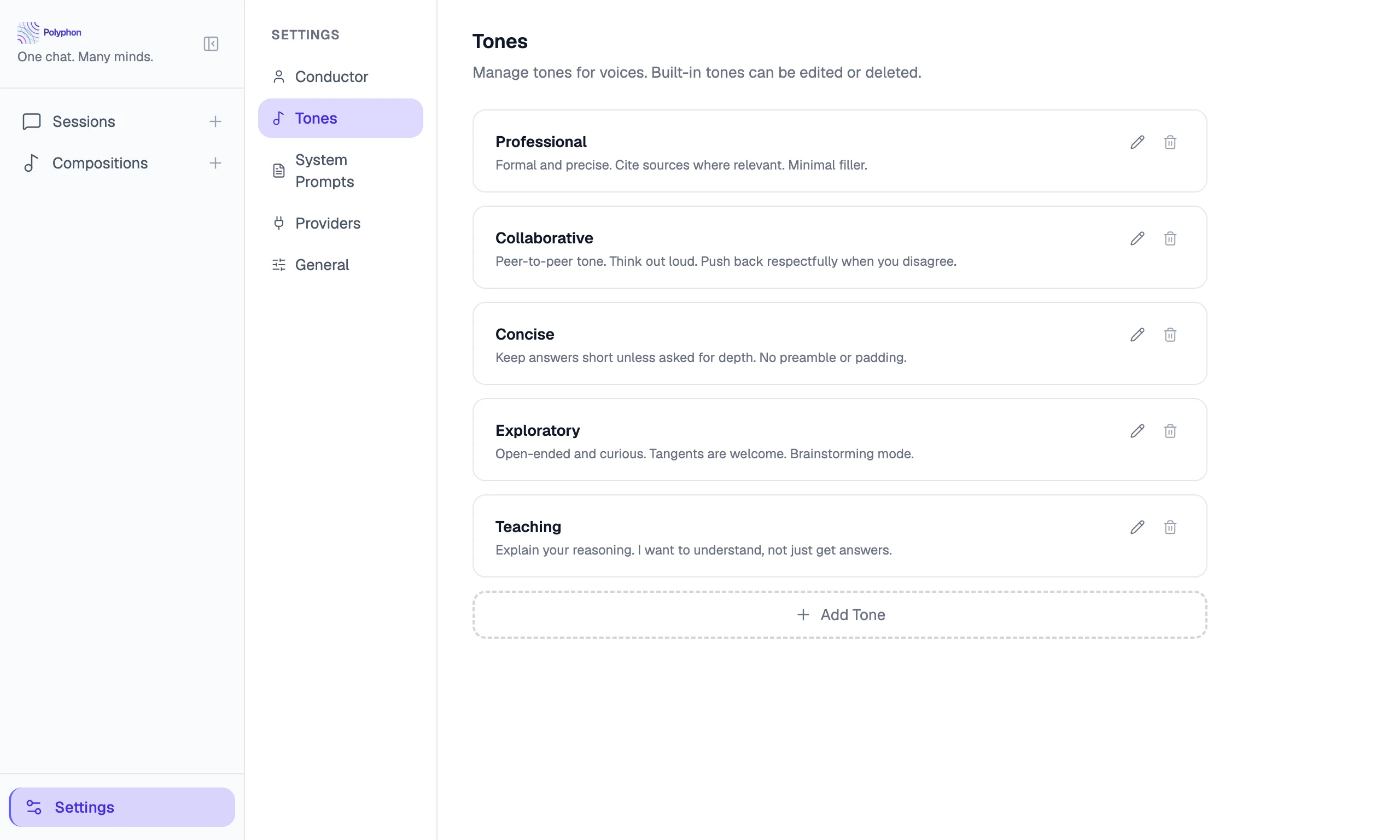
Polyphon ships five built-in tone presets:
| Tone | Behavior |
|---|---|
| Professional | Formal and precise. Cite sources where relevant. Minimal filler. |
| Collaborative | Peer-to-peer tone. Think out loud. Push back respectfully when you disagree. |
| Concise | Keep answers short unless asked for depth. No preamble or padding. |
| Exploratory | Open-ended and curious. Tangents are welcome. Brainstorming mode. |
| Teaching | Explain your reasoning. I want to understand, not just get answers. |
Built-in tones can be edited and deleted just like custom tones — changes take effect in new sessions.
Creating a Custom Tone
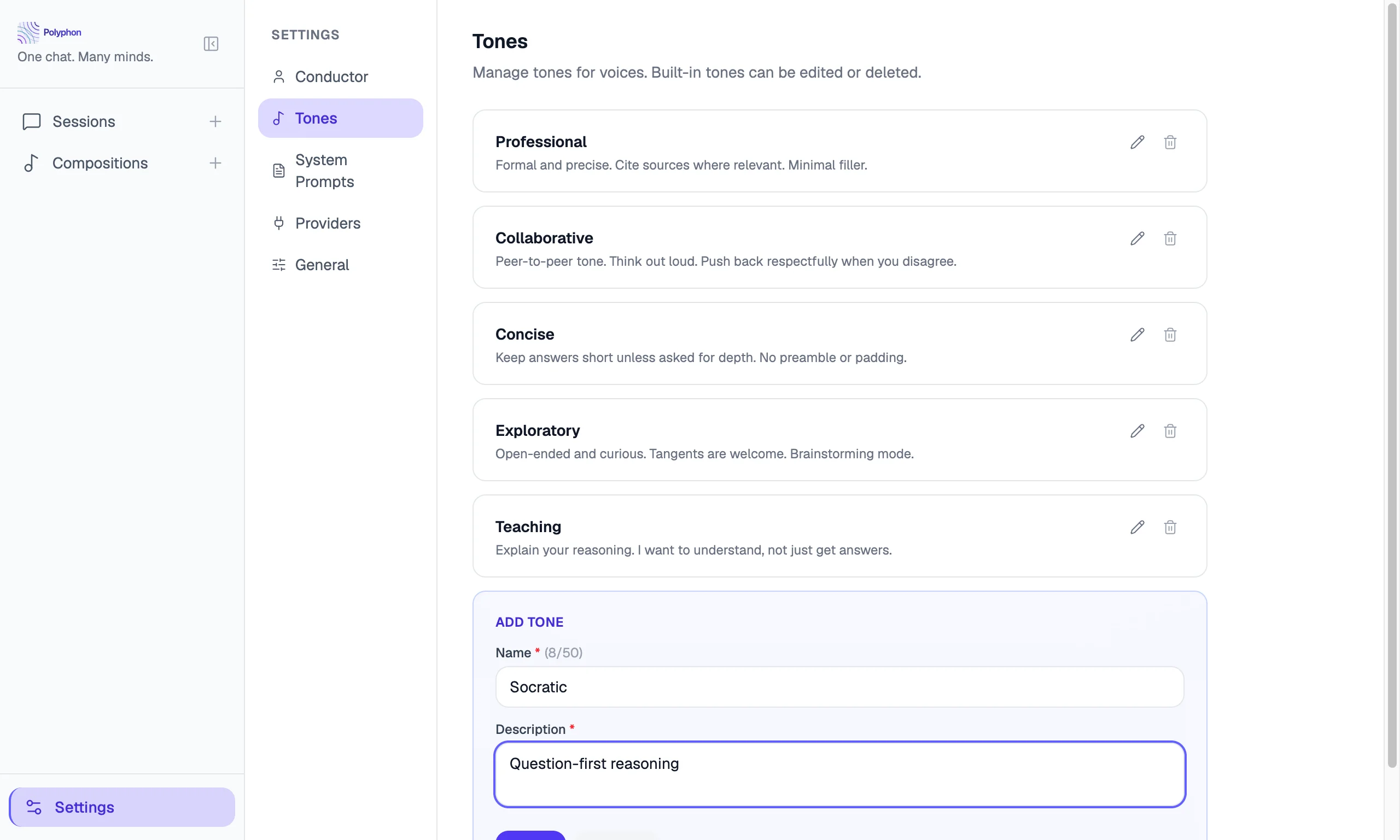
To create a custom tone:
- Go to Settings → Tones.
- Click Add Tone.
- Fill in:
- Name — a short label shown in dropdowns (e.g. “Socratic”)
- Description — a one-line summary shown alongside the name
- Instructions — the behavioral directive injected into the voice’s system prompt
- Click Save.
Editing and Deleting Tones
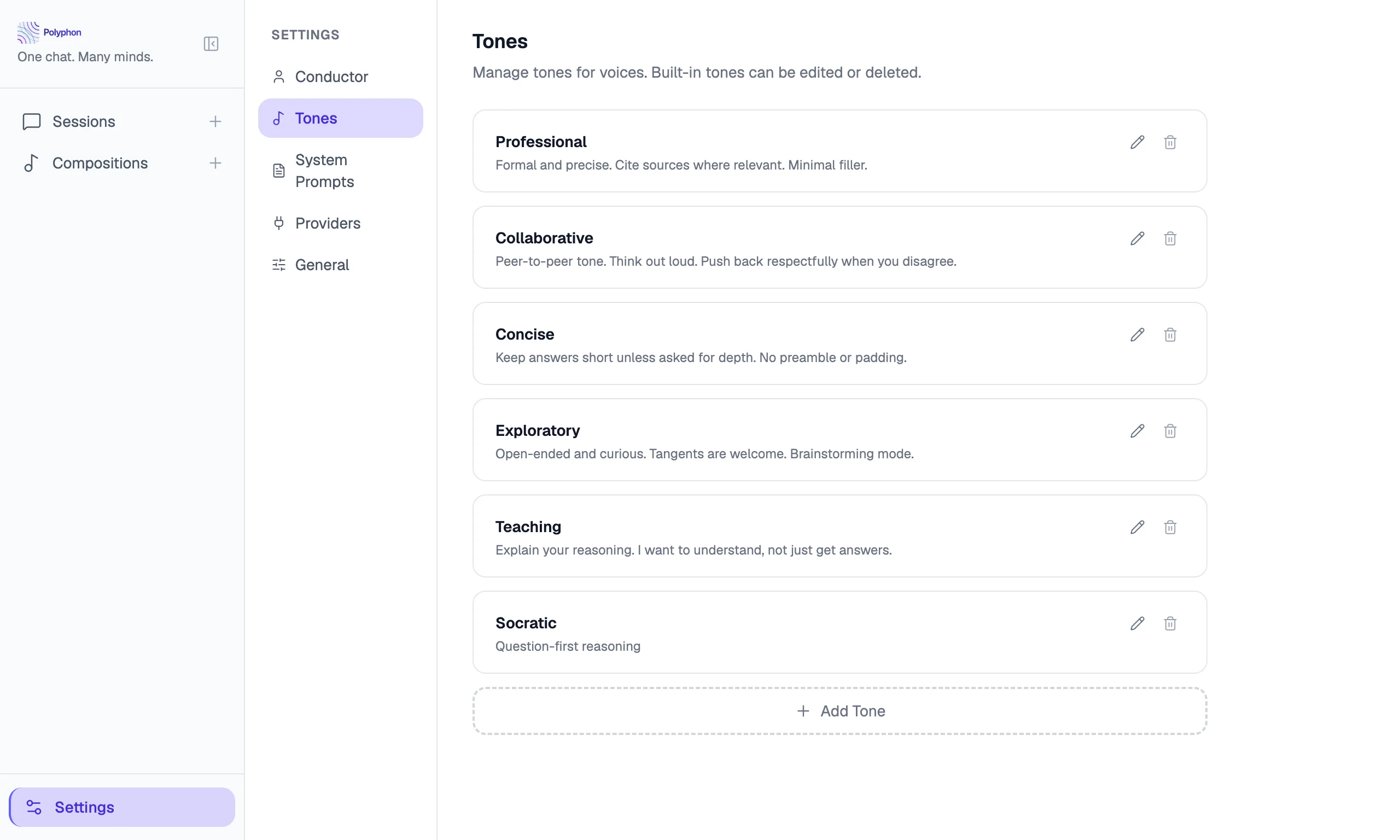
On any tone card in Settings → Tones, click Edit to modify its name, description, or instructions, or Delete to remove it. Changes to a tone do not affect sessions that are already in progress — they apply to new sessions only.
Assigning a Tone to a Voice
Tones can be set at two levels:
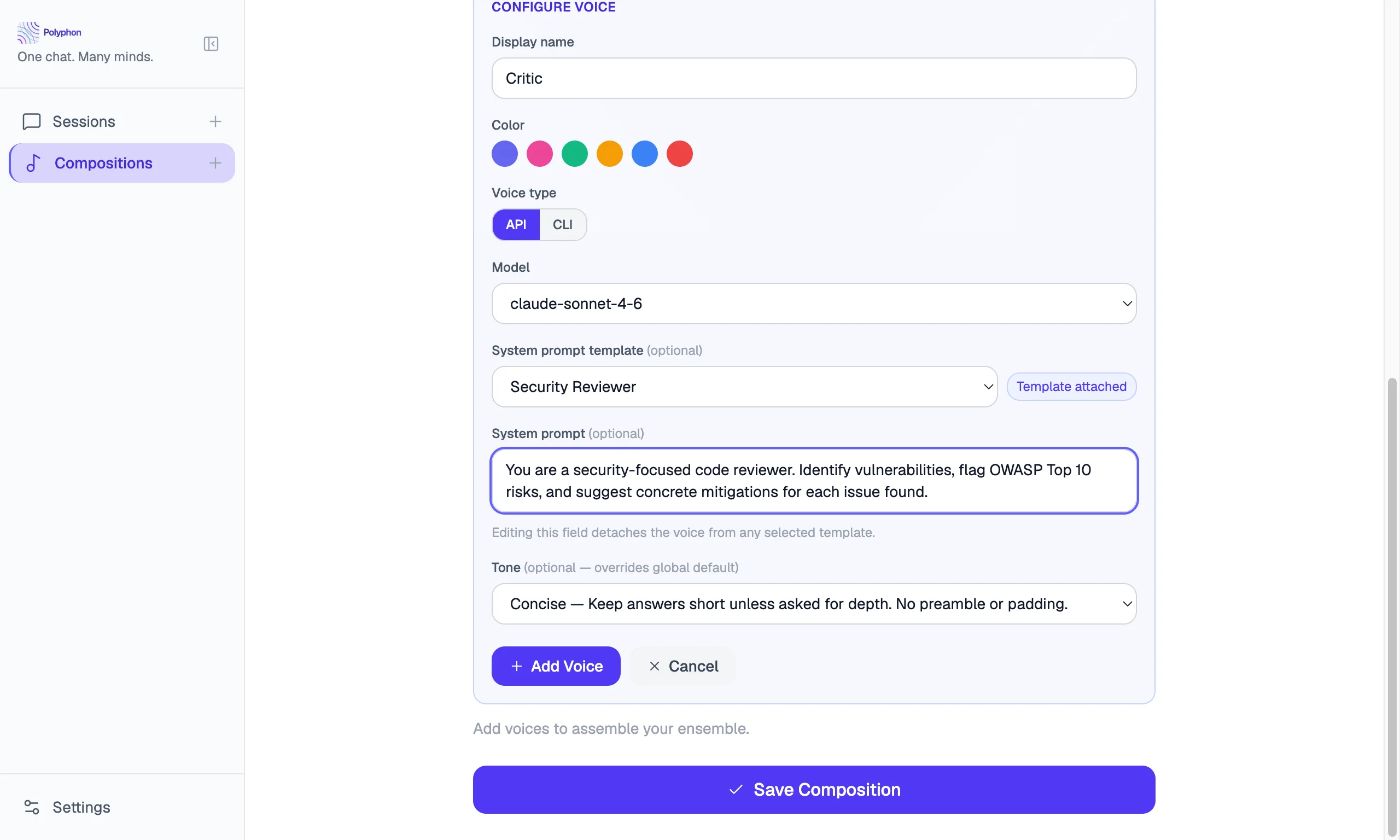
Per-voice override (Composition Builder)
When adding or configuring a voice in the Composition Builder, the Tone dropdown lets you select a specific tone for that voice. Select any built-in or custom tone from the list, or leave it at Use conductor default to inherit the default from your Conductor Profile.
Conductor default (Conductor Profile)
The default tone in your Conductor Profile is applied to every voice that does not have a per-voice tone override. Set it in Settings → Conductor Profile.
See Conductor Profile for details.
Cross-links
- Compositions — attaching tones to individual voices
- Conductor Profile — setting the default tone