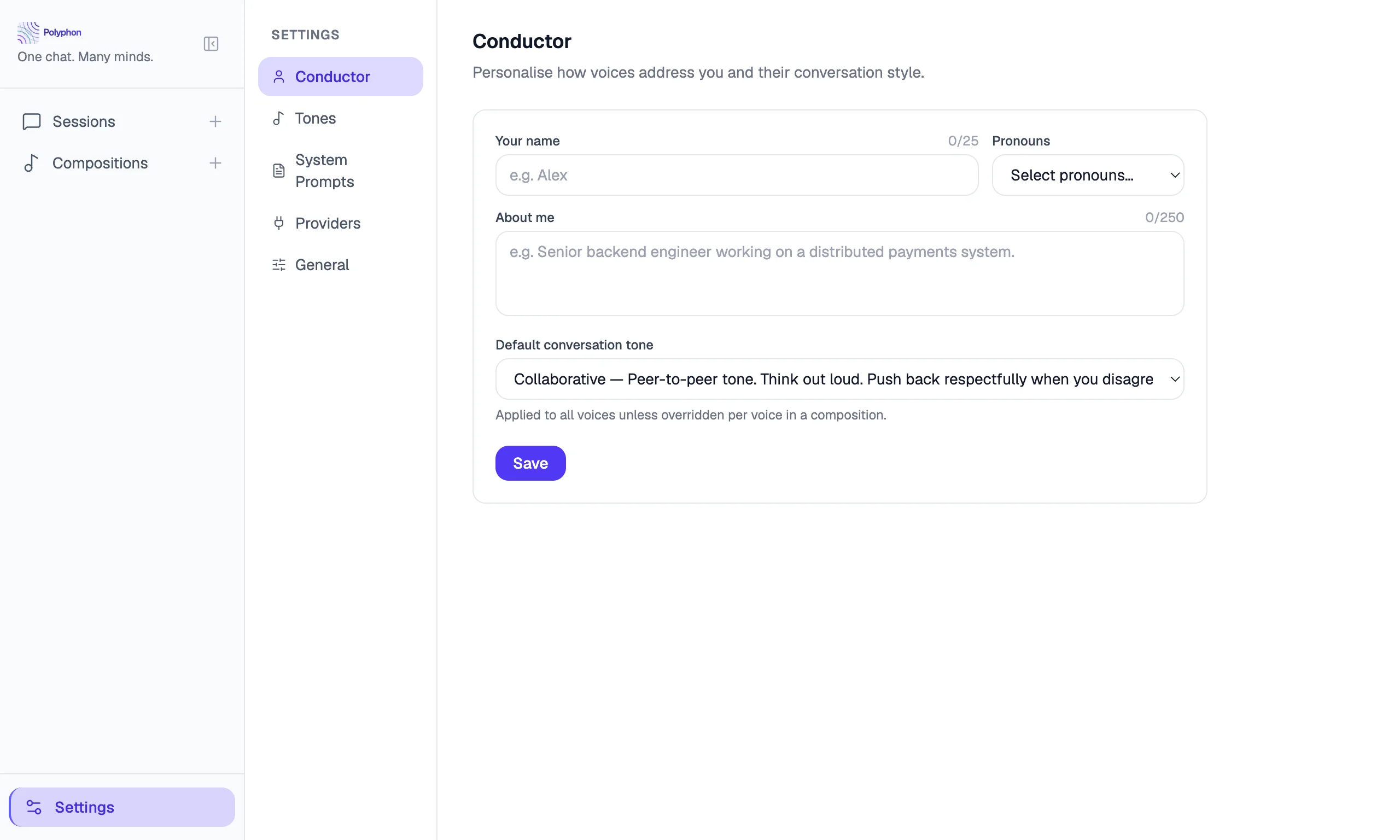

The Conductor Profile is information about you that Polyphon injects into the system prompt of every voice in every session. Set it once, and all your voices will know who they are talking to.
Setting Your Profile
Open Settings (gear icon, bottom-left) and scroll to the Conductor Profile section.
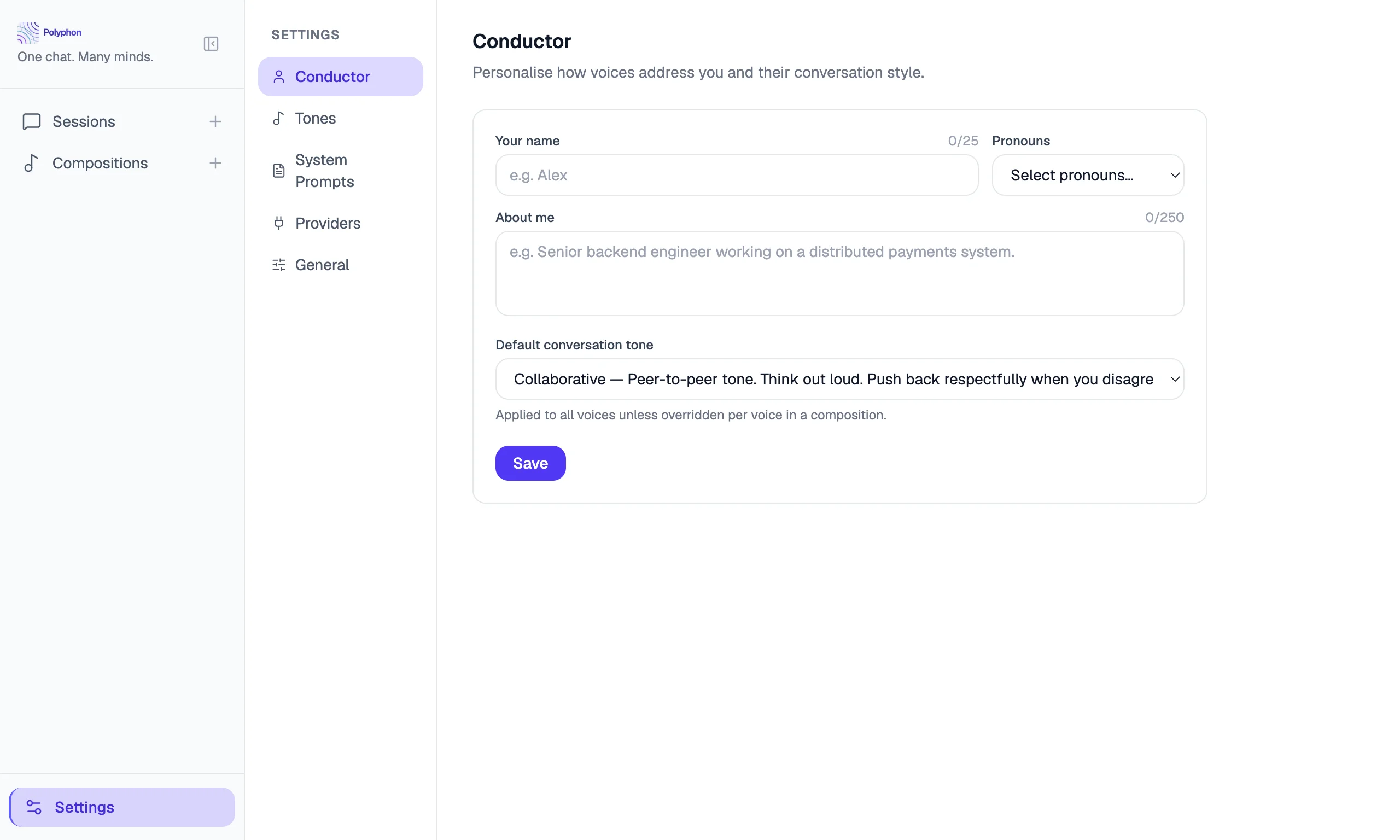
Profile Fields
Name
How voices should address you. If left blank, voices will not use a name when addressing you.
Example: Alex
Pronouns
Your preferred pronouns. Voices will use these when referring to you.
Example: they/them, she/her, he/him
Background
Free-form context about who you are, your role, or what you typically use Polyphon for. This context is included in every voice’s system prompt so voices can tailor their responses to your background.
Example:
I’m a backend engineer with 10 years of experience, primarily working in Go and Python. I’m currently exploring AI tooling and agent orchestration.
Default Tone
The tone preset applied to voices that don’t have a specific tone set. Choose from:
| Tone | Description |
|---|---|
| Professional | Formal, precise, business-appropriate |
| Collaborative | Warm, inclusive, builds on your ideas |
| Concise | Brief and direct — minimal words, maximum signal |
| Exploratory | Open-ended, curious, surfaces possibilities |
| Teaching | Patient, explains from first principles |
How the Profile Is Used
When a session starts, Polyphon builds a system prompt for each voice that includes:
- The voice’s own system prompt (if any)
- The ensemble context — who the other voices are in the session
- Your conductor profile (name, pronouns, background, tone)
This means every voice knows who you are and how to communicate with you, without you having to repeat it in every message.
Privacy
Your conductor profile is stored locally in your Polyphon database. It is sent to voice providers as part of the system prompt when you start a session, just as any system prompt would be. It is not shared with anyone else or stored externally.
Auto-save
The Conductor Profile saves automatically when you leave a field (on blur). There is no explicit save button — your changes take effect immediately for the next session you start.