

Polyphon uses a small set of specific terms consistently throughout the application. Understanding them makes everything else click.
Voice
A voice is a single AI participant in a session. Each voice has:
- A provider (Anthropic, OpenAI, Gemini, or a CLI tool)
- A model (e.g.
claude-opus-4-5,gpt-4o,gemini-2.0-flash) - An optional name — how it identifies itself in the conversation
- An optional system prompt that shapes its personality or role
- A tone preset — professional, collaborative, concise, exploratory, or teaching
Voices are not global. They exist within a session or composition. The same provider can appear as multiple voices with different configurations.
Composition
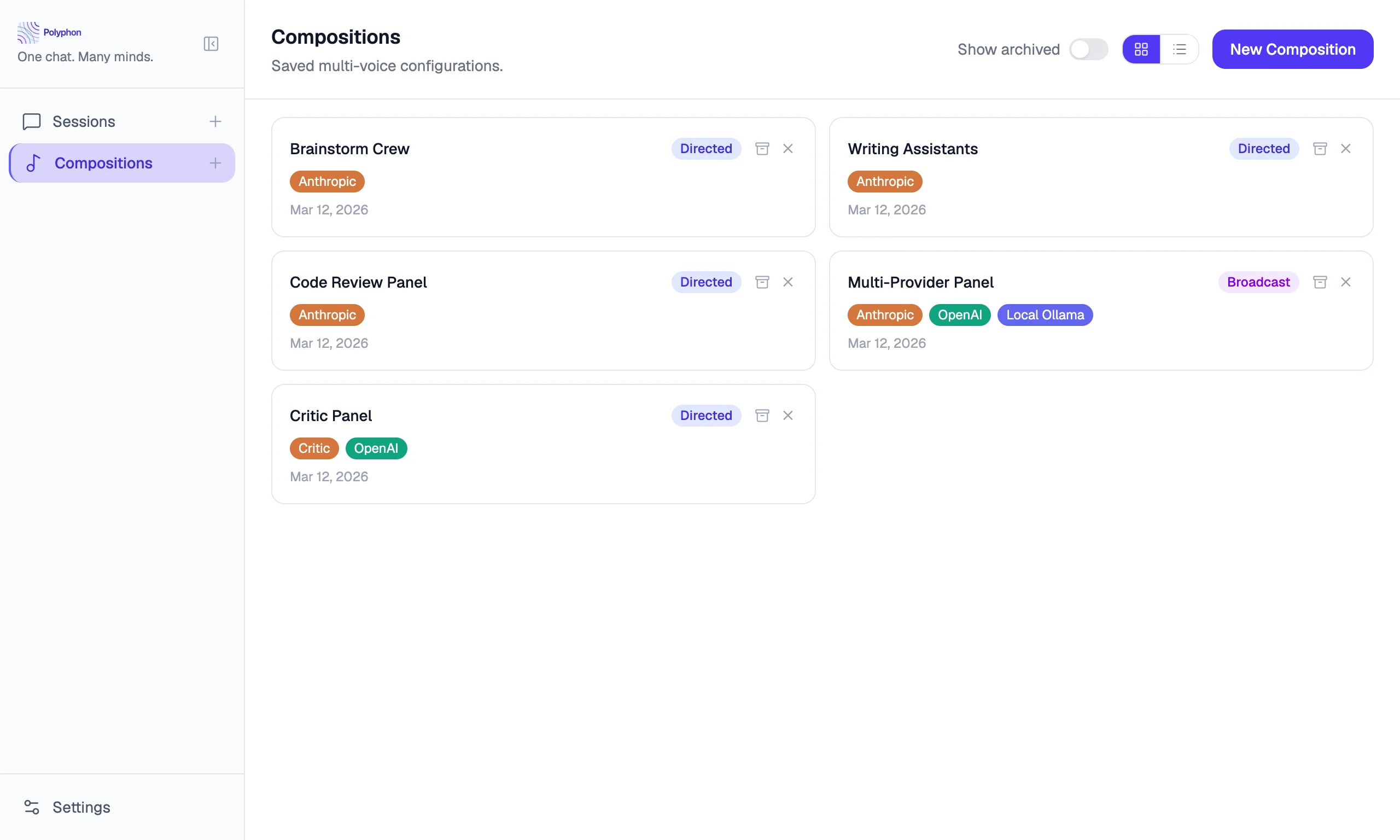
A composition is a saved, named set of voices. Think of it as a reusable template for a type of conversation.
For example, you might have a composition called “Code Review Panel” with three voices: a security reviewer, a performance optimizer, and a readability critic. Start a new session from that composition whenever you want all three perspectives.
Compositions can be created from the sidebar and launched as many times as you like. Each launch creates a new independent session.
Session
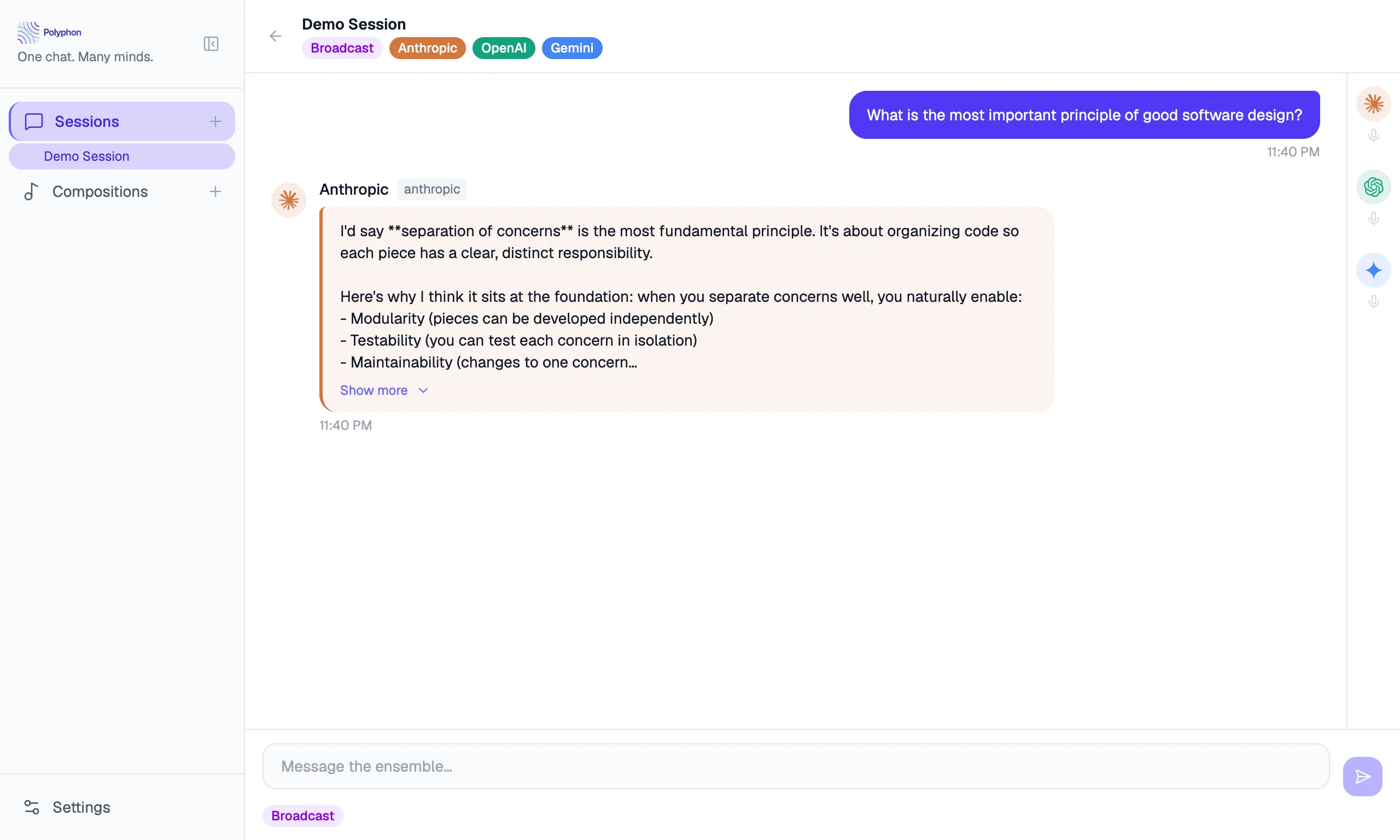
A session is a live conversation thread. It has:
- A set of voices (either from a composition or configured ad-hoc)
- A message history
- A mode: broadcast or conductor
Sessions are persistent — they are saved to your local database and can be resumed. Archived sessions are hidden from the sidebar but not deleted.
Round
A round is one full cycle of all voices responding. When you send a message, Polyphon dispatches it to all active voices. Once every voice has finished generating its response, one round is complete.
With continuation enabled, voices can automatically trigger additional rounds after their response, allowing voices to build on each other without you sending another message.
Broadcast vs. Conductor Mode
Broadcast mode
Your message is sent to all voices simultaneously. This is the default. Use it when you want every voice to weigh in on the same question.
Conductor mode
You can direct your message to a specific voice. The other voices see the exchange but only the targeted voice responds. Use this when you want to follow up with one voice without interrupting the others.
API Voices vs. CLI Voices
Polyphon supports two categories of voice providers:
API voices connect to a cloud model using an API key you provide. The request goes over the network to Anthropic, OpenAI, or Google’s servers.
CLI voices spawn a local subprocess — a command-line tool already installed on your machine (like the claude or codex CLI). No additional API key is needed beyond what the CLI tool itself uses. Everything runs locally.
Both types are treated identically inside a session. You can mix them freely in a composition.
The Composition Builder shows whether each voice type is available based on your current configuration. If an API key is not configured, the API type button is disabled. If the CLI binary is not found in your PATH, the CLI type button is disabled. This prevents adding a voice that would fail when a session starts.
Custom Providers
A custom provider is a user-defined OpenAI-compatible API endpoint — such as a local Ollama instance, LM Studio, or a private model proxy. Custom providers are configured once in Settings → Custom Providers and then appear as voice options in the Composition Builder alongside built-in providers. Inside a session, they participate in rounds the same way as built-in API voices.
See Custom Providers for setup instructions.
Conductor Profile
The conductor profile is information about you that gets injected into every voice’s system prompt. Set your name, pronouns, background context, and preferred default tone once — every voice in every session will know who it’s talking to.
See Conductor Profile for details.